
Management for beauty businesses
Your salon doesn't fit in a notebook. It fits here.
The diary, client records and monthly accounts, all in one place. Open it on your phone and it's all there.
30 days free. No card required.
Diary
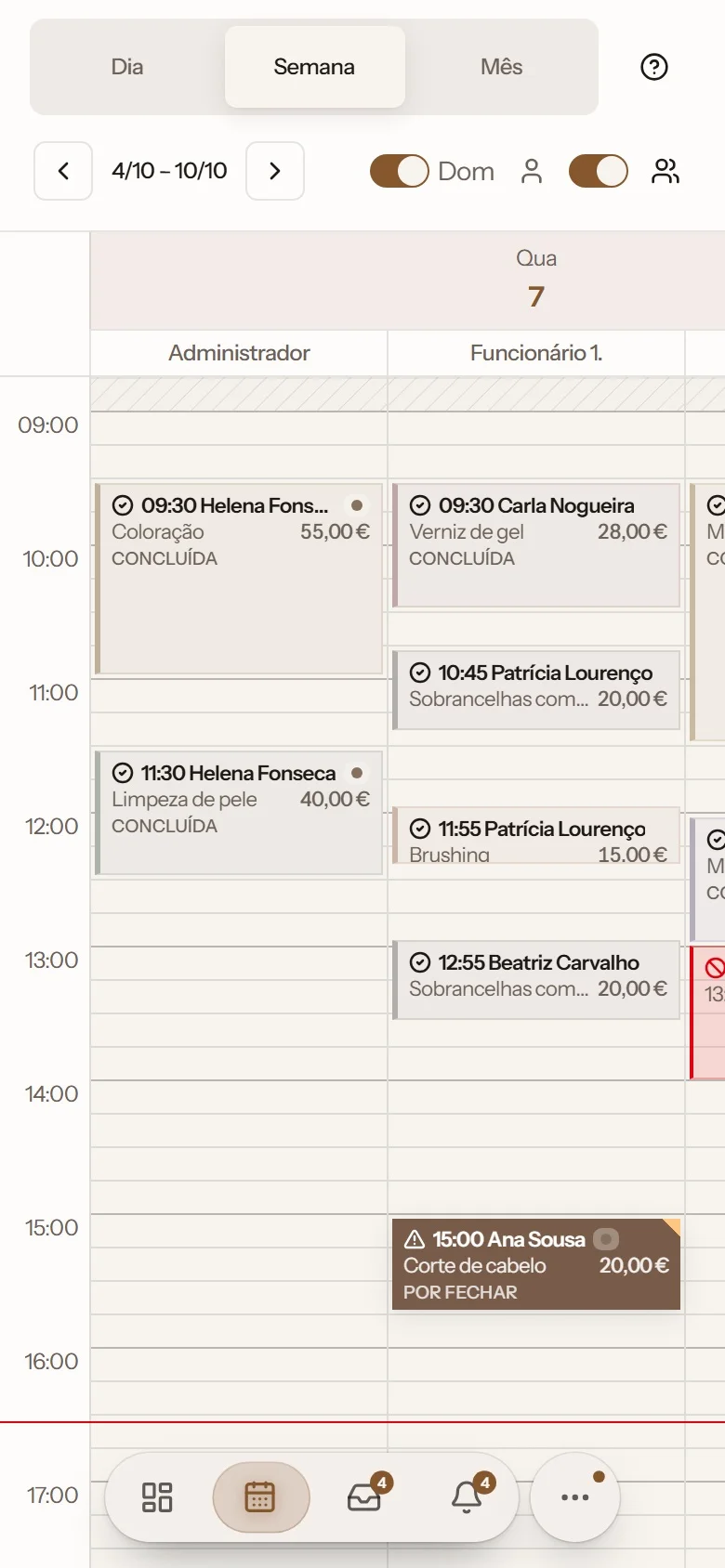
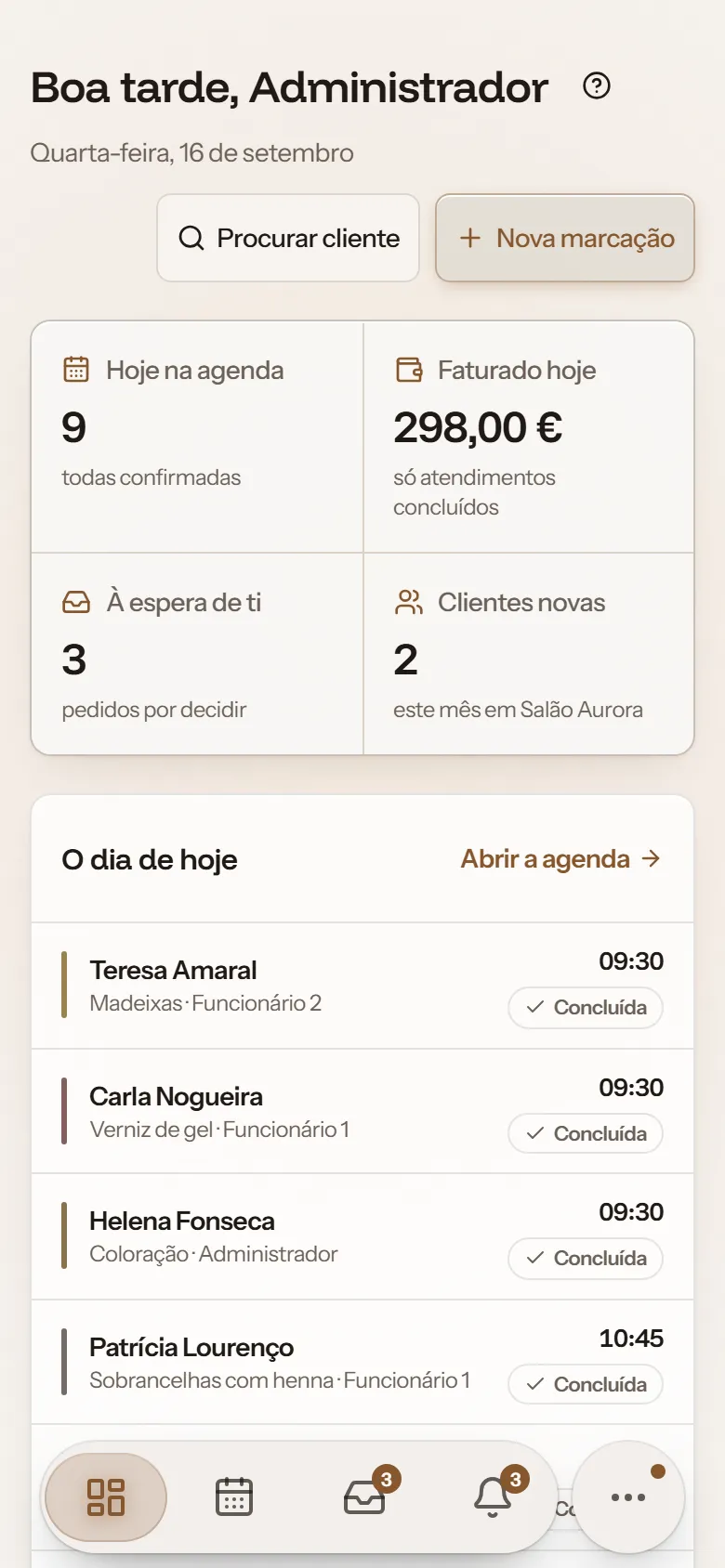
Your whole team's diary, on your phone, tablet or computer
See who is seeing whom, at what time, and what each booking is worth.
- Day, week and month
- One column per person
- Drag to reschedule
- One visit, several people
- Blocks, holidays and bank holidays
- No-shows and cancellations
- Signature and photos when finishing
Online bookings
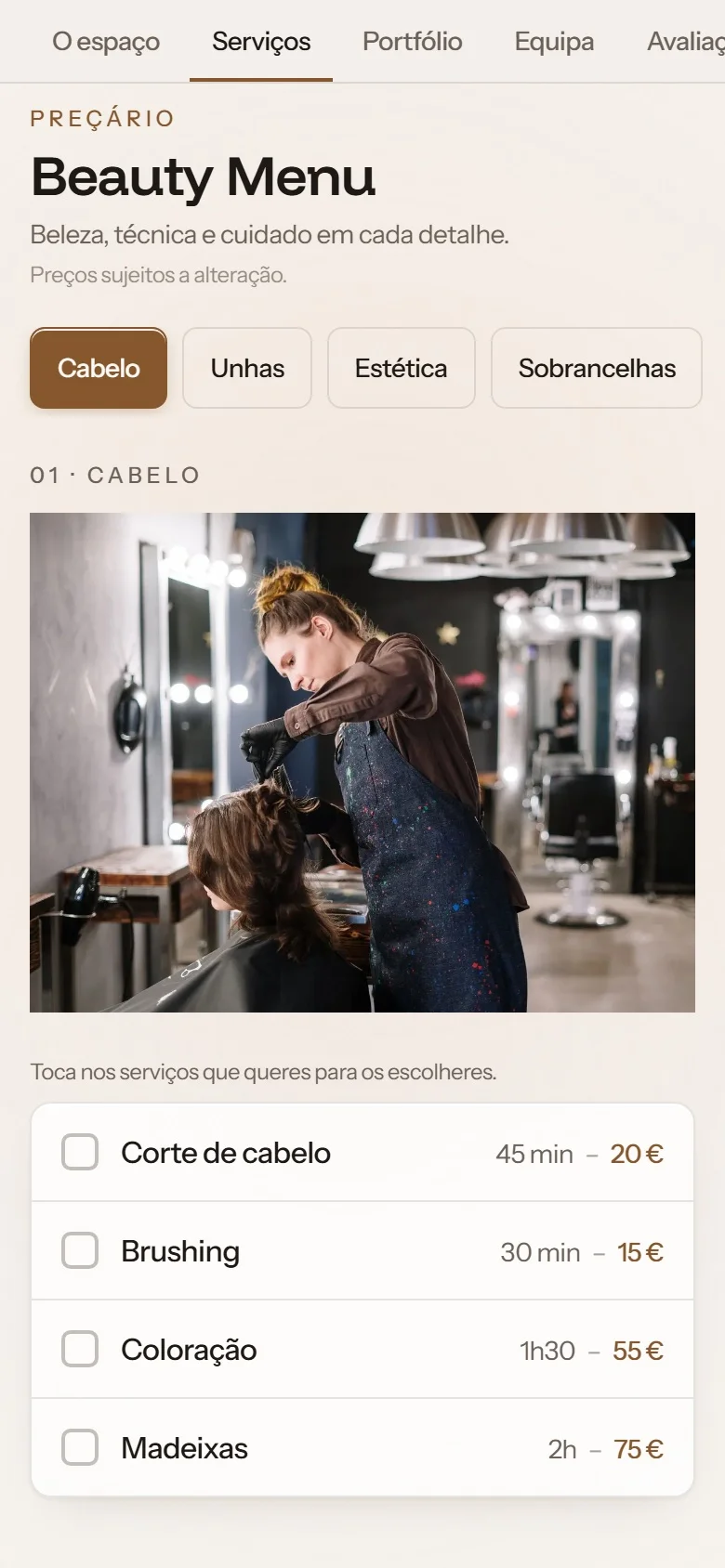
Clients book on their own, any time
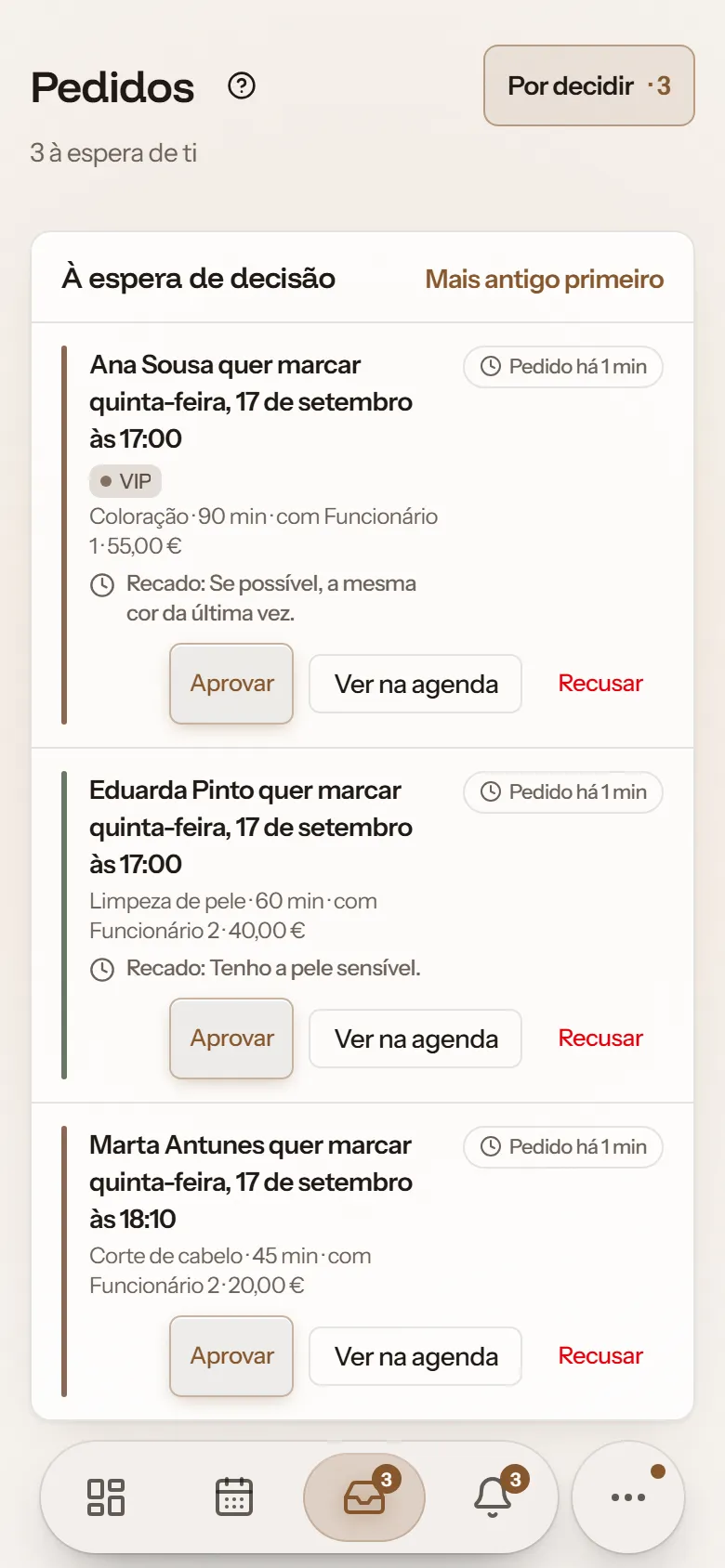
The request comes to you, and you decide what goes in the diary.
- Services and prices
- Photos of your work
- Reviews with replies
- WhatsApp button
- Shows up on Google
- Salon search by city
- Accept, decline or suggest a time
- Busy slots without names
Clients
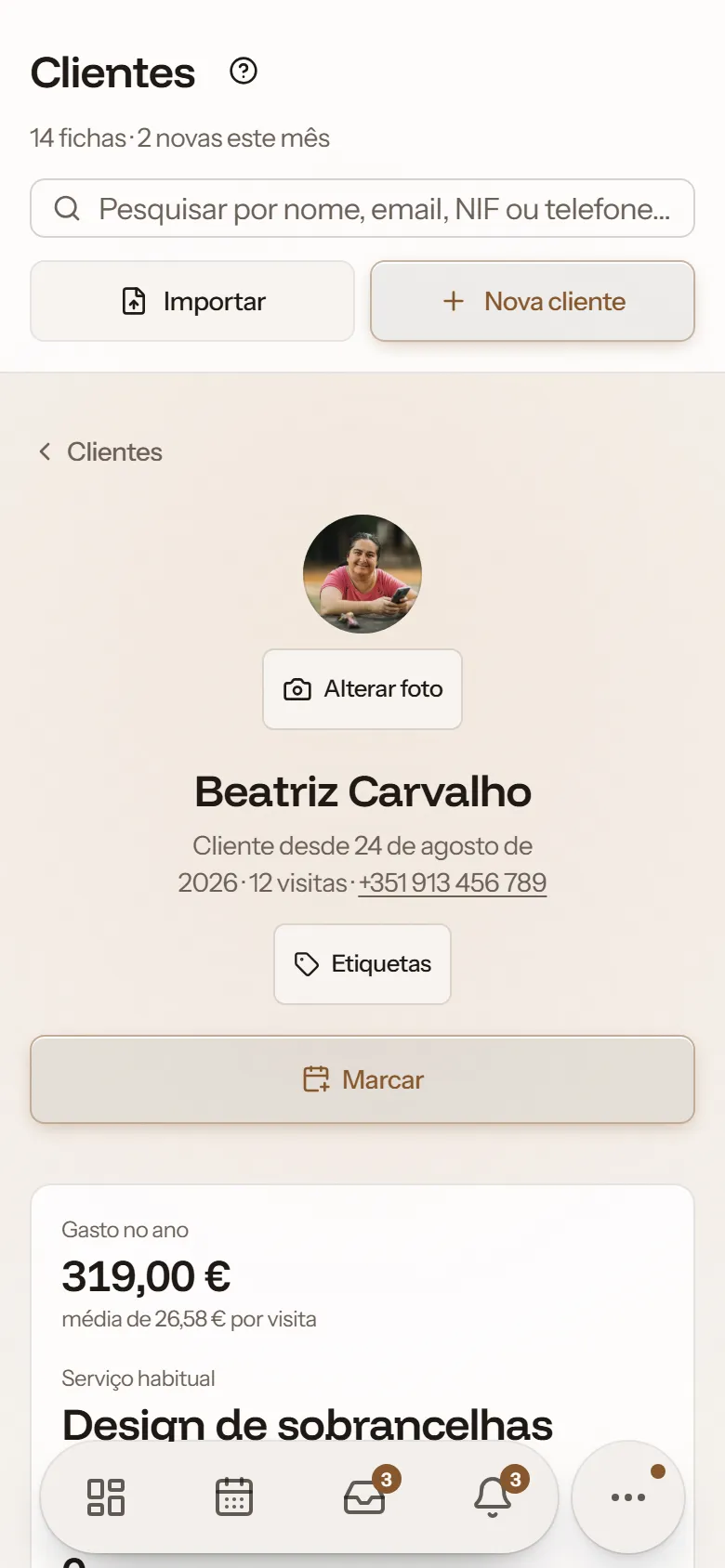
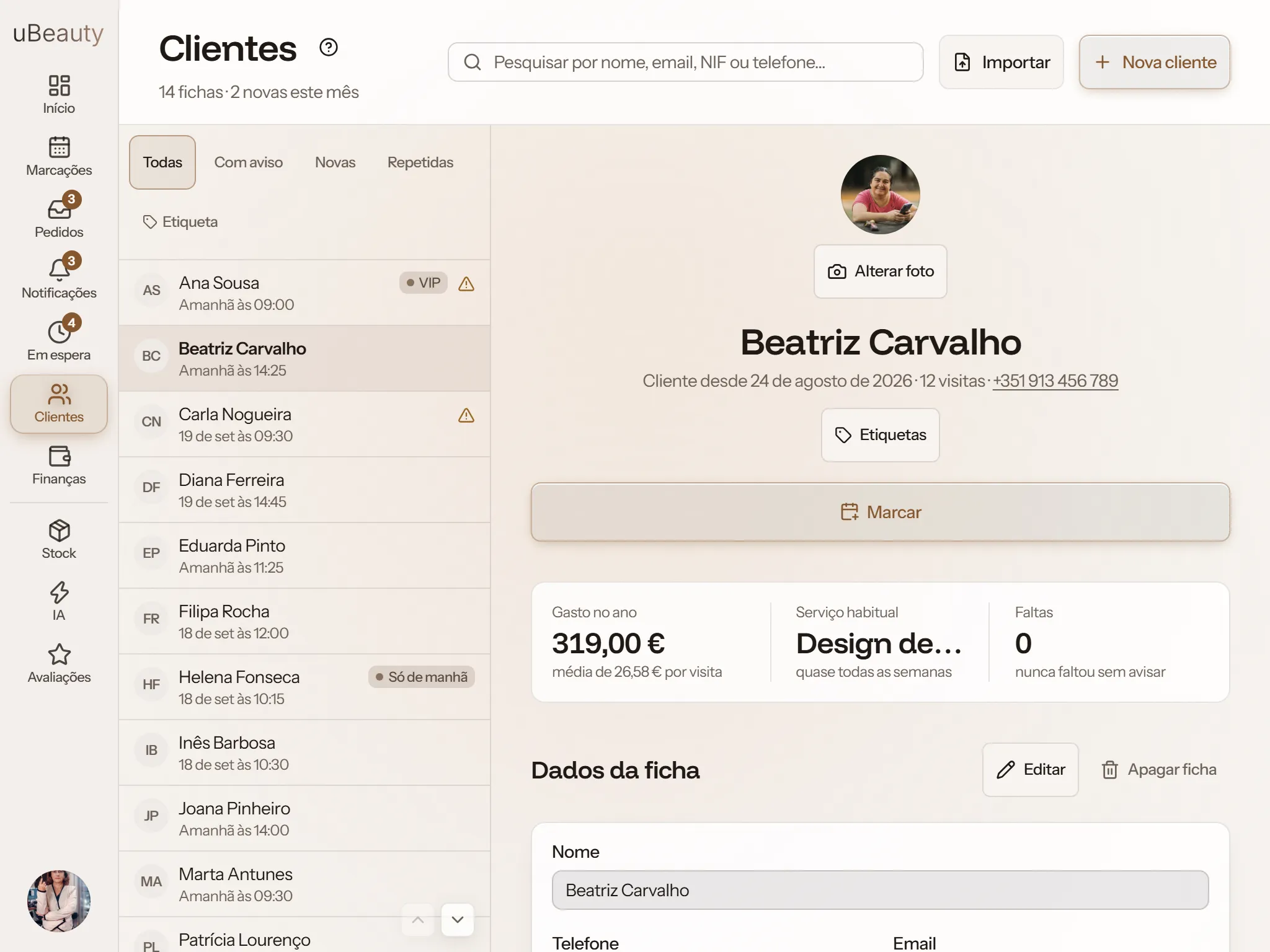
Every client, all in one record
When she calls, her history is right in front of you.
- History and spend this year
- Health notes with alerts
- Photos from each visit
- Tags
- Signed consent
- The client's own account
- Import from your notebook
Reminders and campaigns
Fewer no-shows
The day before, the client gets a reminder and confirms with one tap. When you want them back, an SMS campaign reaches all of them at once.
- Email the day before or on the day
- Confirm with one tap
- 50 texts a month included
- WhatsApp message ready to send
- Client birthdays
- Alerts for the team
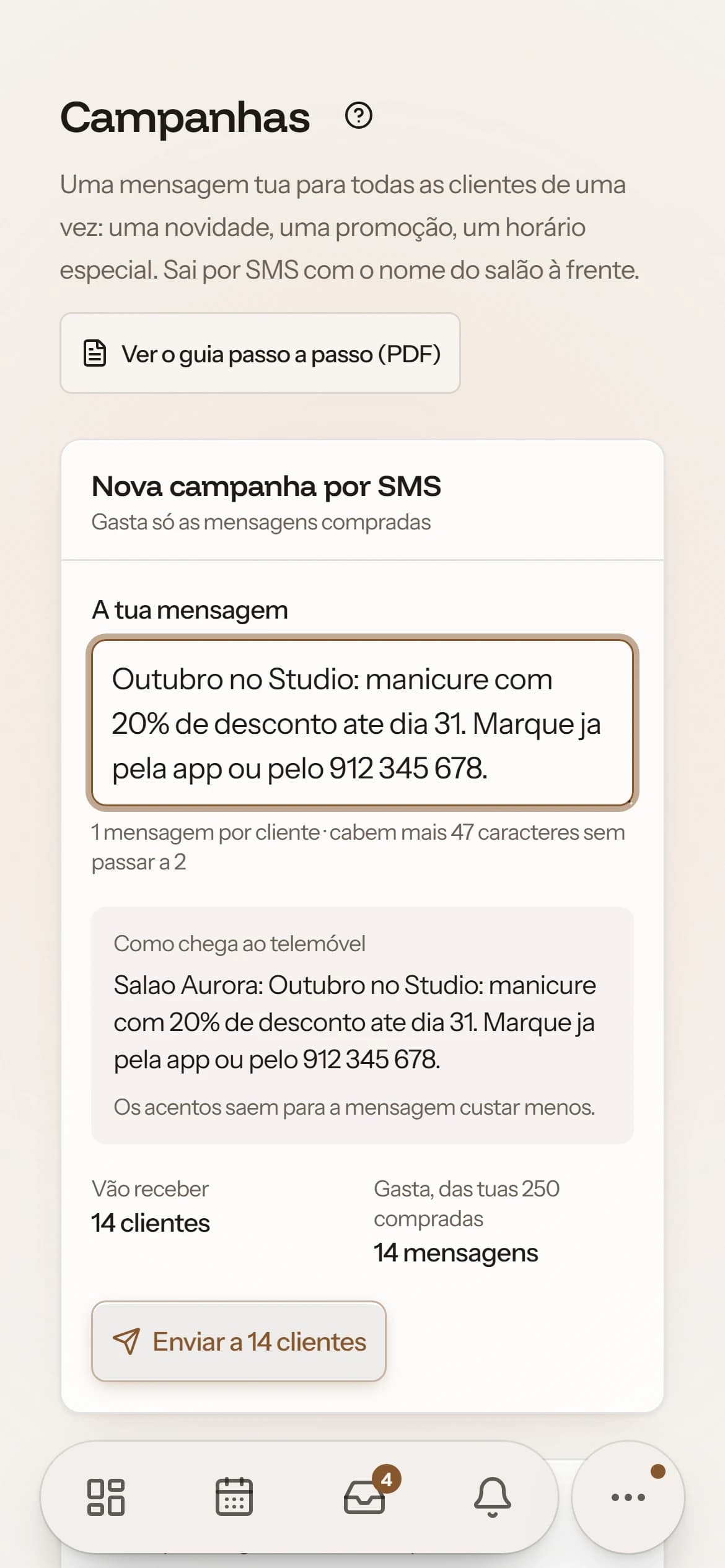
- SMS campaigns
- Delivery, client by client
Wednesday, 7 October
19:04
uBeauty
Beatriz, appointment tomorrow at 14:25, Salao Aurora. Confirm here: https://ubeauty.studio/l/…
And when you want them back
An offer, some news, special opening hours. You write it once and it reaches every client.
Campaigns use texts bought separately, in packs. The texts included every month stay for reminders.
Money
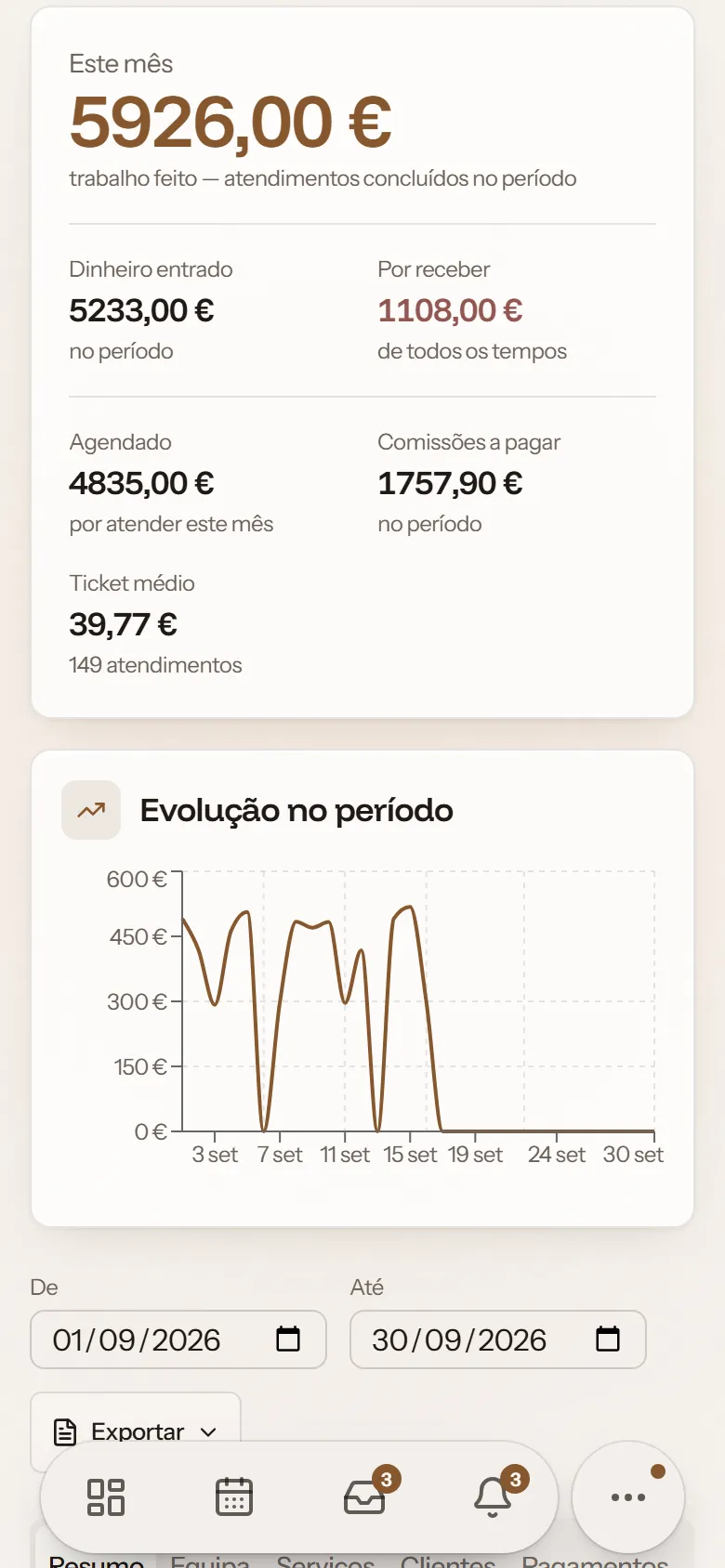
Know what came in at the end of the day
Totals worked out from your bookings, no calculator needed.
- Till by shift
- End-of-day close
- Debts and prepayments
- Commission per person
- Certified invoices
- Targets
- Export to PDF and CSV
Management
And the rest of the salon
- Permissions per person
- Team requests
- Change history
- Stock and orders
- Waiting list
- Weekly suggestions
- Several locations
- Two-step sign-in
On every screen
In your pocket and on the counter
On iPhone and iPad you download it from the App Store. On a computer or Android it opens in the browser, and it can sit on your home screen with an icon if you like.

Free, for iPhone and iPad on iOS 15 or later
Windows
Computer and laptop
Apple
App for iPhone and iPad
Android
Phone and tablet
30 days free
Try it with your salon
No card. The 30 days count from sign-up, and at the end you choose a plan.
Questions
Do I need a computer?
No. It works in the browser on your phone, tablet or computer.
Is there an app to download?
Yes, on the App Store, for iPhone and iPad. It's free and uses the same account as the browser. On Android and on a computer it opens in the browser, and you can keep the icon on your home screen.
Do clients have to install anything?
No. They open your link and book.
Can I bring my existing clients?
Yes. Take a photo of your notebook, or upload a CSV or PDF file from your old software, and check the list before saving.
Are the invoices certified?
In Portugal, yes. uBeauty has a module with an AT-certified invoicing partner: you connect your account once and the invoice-receipt is issued when you finish the appointment.
What if I want to cancel?
You cancel from your account. You keep working until the end of the period you paid for, and nothing is deleted.